
If you’ve spent time with containerised workloads, you’ve probably come across both containers and pods and maybe wondered why Kubernetes needs both.
Aren’t containers enough on their own?
What’s a ‘pod’? Why does there seem to be a never ending realm of complexity?
Why can’t I ever find matching socks?

In this post, we’ll break down what each actually does, how they work together, and why understanding the distinction matters when designing, deploying or supporting modern workloads.
Background: Where Containers Fit 🚚
Containers are the basic unit of software packaging and runtime isolation.
They bundle an application and all its dependencies into a portable image that runs the same way across environments. Whether that’s your laptop, a container running on a raspberry pi, or supporting global workloads in the cloud with 100’s or 1000’s of replicas!
Each container:
- Runs a single process (e.g., a web service, API, or background worker)
- Shares the host’s kernel but has its own user space
- Is isolated from other containers by namespaces and cgroups
In practice, this makes containers a great building block for microservices and scalable deployments. But containers alone don’t solve orchestration! Containers don’t tackle things like scheduling, health checks, scaling, or networking between services.
✨ That’s where Kubernetes comes in. ✨
Introducing 🫛 Pods — Kubernetes’ Scheduling Unit
A Pod is the smallest deployable object in Kubernetes — not a container replacement, but an abstraction above it.
Think of a pod as a wrapper that defines how one or MORE containers run together on the same node.
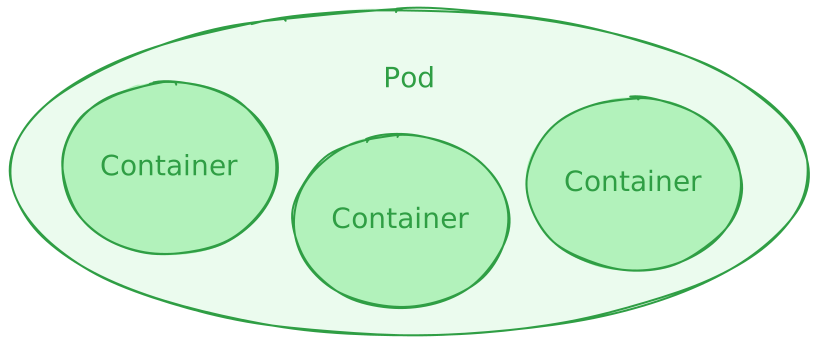
Each pod:
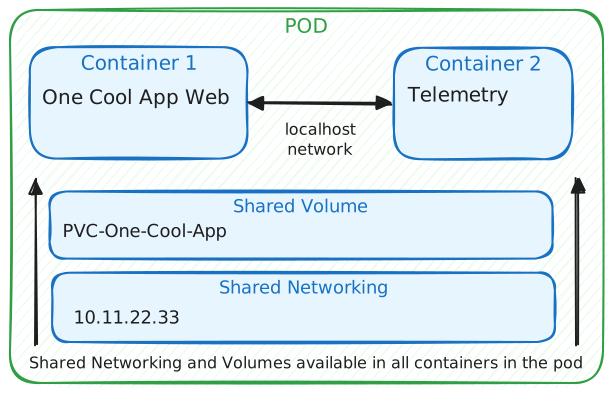
- Can contain one or more tightly coupled containers (e.g., an app container and a sidecar for logging)
- Shares networking (one IP per pod) and storage volumes between those containers
- Is treated by Kubernetes as a single scheduling unit
So, while containers provide process-level isolation, pods provide deployment-level coordination.
Why Kubernetes Uses Pods
Kubernetes’ design deliberately separates how containers run from how workloads are managed.
The Pod layer allows Kubernetes to:
- Group containers that must work together — e.g., a web server + log shipper.
- Attach metadata and policies — resource limits, probes, service accounts to a collection of containers.
- Handle networking consistently — all containers in a pod share the same IP and port space.
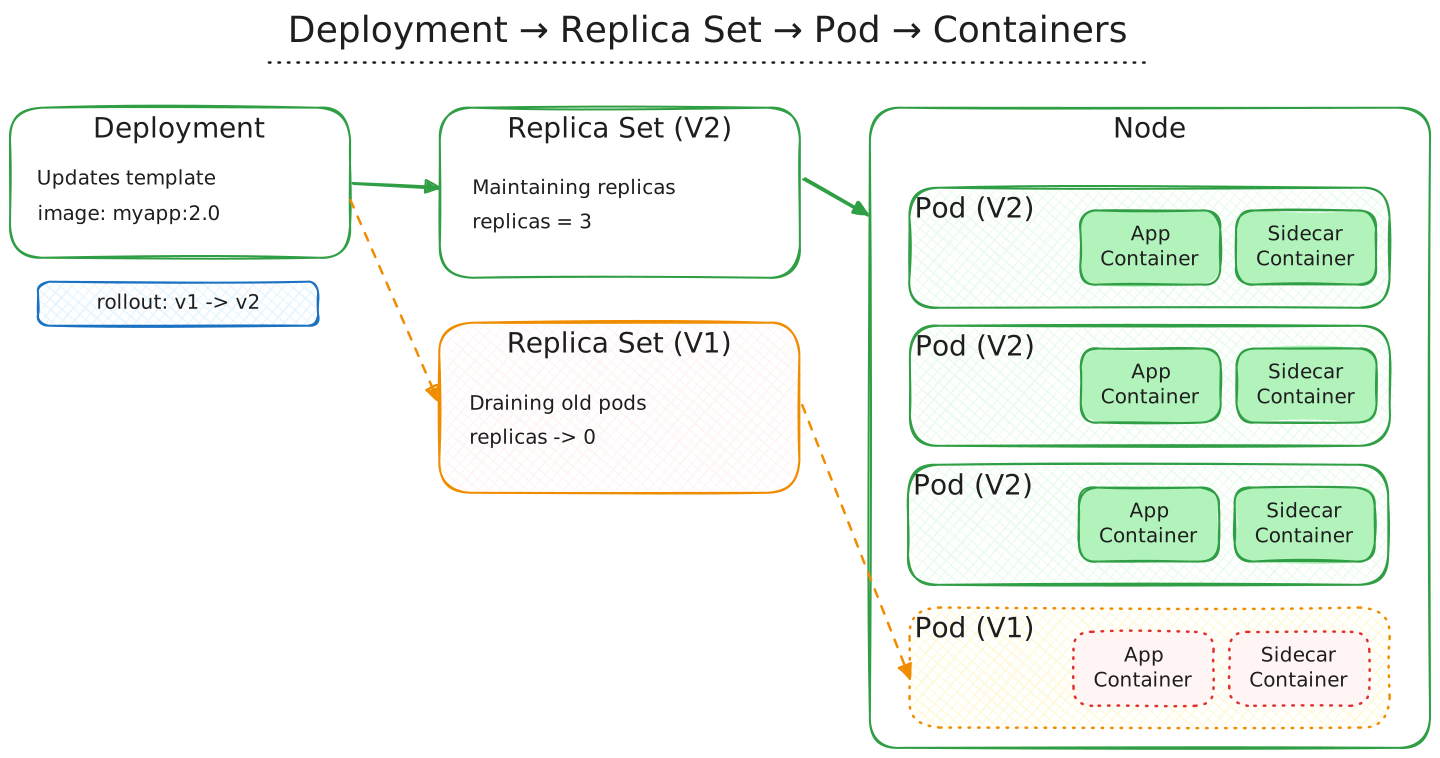
- Simplify scaling — Kubernetes replicates pods (not individual containers) to handle load.
Without pods, orchestration would have to deal with each container directly — far more complex and less consistent.
Example: A Simple Pod Definition
Here’s a quick YAML snippet showing how two containers can share the same pod:
| |
Both containers share the same IP, storage volume, and lifecycle. Kubernetes manages them as one logical unit.
When to Think in Pods vs Containers
Here’s a simple way to frame it:
| Context | Think in terms of… | Why |
|---|---|---|
| Building and packaging your app | Containers | You define what runs and how it’s built. |
| Deploying, scaling, and networking workloads | Pods | Kubernetes manages pods, not containers directly. |
| Troubleshooting | Pods first, then containers | Pod events and status often explain container-level issues. |
In short: containers run the app, pods run the containers.
Take-aways / Next Steps
Understanding pods and containers isn’t just Kubernetes trivia — it’s critical for designing resilient, observable workloads.
When you’re architecting solutions, think of pods as the control boundary that keeps your containers coordinated and manageable.
Further Reading
- Kubernetes Concepts — Pods: https://kubernetes.io/docs/concepts/workloads/pods/
- Sidecar Pattern discussion: https://kubernetes.io/blog/2023/08/25/native-sidecar-containers/
- Networking model overview: https://kubernetes.io/docs/concepts/cluster-administration/networking/
If you’d like to chat about edge-hosted Kubernetes or containerised workloads in at the edge, feel free to reach out on LinkedIn.
Thank you for reading.
